Installation Instructions


1

Create your account & API key

The mod connects to your ZFN account, so you'll need one before installing.

  1. Sign Up for a free account (or Log In if you already have one).
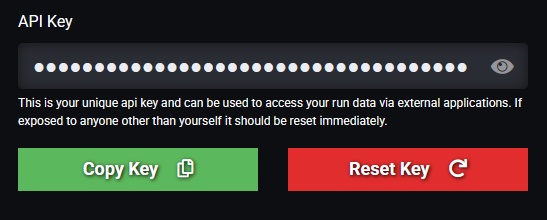
  2. Navigate to your Settings Page. On first visit to this page an API key will be generated for you. You'll paste this into the mod on first launch.
The Settings page showing the API key field and Copy button

2

Download & extract the files

Grab the latest release using the Download button on the right — you'll get a single .zip containing everything you need. Extract it, and inside you'll find xinput1_3.dll, a modded data_misc.pak, and a zfnmod\ folder.


3

Install the files

Everything goes into your Trials Fusion install folder, usually found here:

Ubisoft

C:\Program Files (x86)\Ubisoft\Ubisoft Game Launcher\games\Trials Fusion\

Steam

C:\Program Files (x86)\Steam\steamapps\common\Trials Fusion\
  1. Close Trials Fusion completely.
  2. Using Nox Mod? Move your existing Nox xinput1_3.dll into the datapack\noxmod\ folder first — ZFN will automatically load Nox Mod from there. (Skip this if you don't use Nox Mod.)
  3. Put xinput1_3.dll and the zfnmod\ folder into the datapack folder.
  4. In build\data_pc, back up the existing data_misc.pak by renaming it to something else (e.g. data_misc.pak.ORIGINAL) — in case you need to restore it later.
  5. Copy the modded data_misc.pak into build\data_pc.
Trials Fusion\
├── datapack\          ← trials_fusion.exe lives here
│     ├── xinput1_3.dll    ← add
│     └── zfnmod\          ← add
└── build\
      └── data_pc\
            └── data_misc.pak  ← back up, then replace

4

Launch & sign in

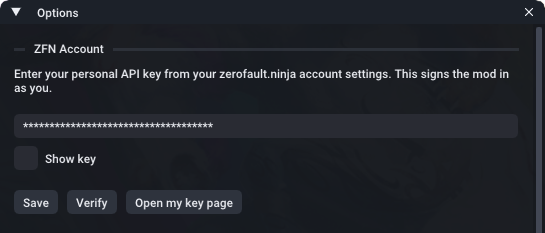
  1. Start Trials Fusion. You should see a message in the top left of the screen indicating the mod has been loaded and the version number. Press F9. The first time, this opens the mod's Options panel.
  2. Paste your API key (from Step 1), then click Save and Verify — you should see "Signed in as <your ZFN username>".
  3. Press F9 again to open the ZFN Track Browser. You're in!
The in-game Options panel with the API key entry field

Uninstalling

Delete xinput1_3.dll and the zfnmod\ folder from the game directory, then restore your original data_misc.pak from the backup you made in Step 3.


Need help?

Run into a problem or have a question? Ping me on Discord — livinglegend3d.

If you aren't already a member Join The Trials Community Discord

Latest version 1.0.1
Released 2026-09-27
Log in to download

What's new in this version:

  • Fixed a startup crash that could hit players who had saved custom bike settings.
  • Improved cleanup when the game closes, so the mod tears down its hooks cleanly instead of leaving anything dangling.
  • Internal hardening: made background tasks (leaderboard sync, notifications) safe against rare timing issues.
View full changelog